Log Streams
Stream Audit Log Events to your customers’ SIEM providers.
Log Streams allow your customers to stream Audit Logs directly to their Security Incident and Event Management (SIEM) providers like Datadog or Splunk and object storage solutions like AWS S3 or Google Cloud Storage. There is also a generic provider (HTTP POST) available to stream logs to any configured endpoint.
This gives your customers greater control over their Audit Logs by allowing them to apply custom indexing and monitoring of their events in the SIEM provider along with events from other cloud services they use.
Log Streams can be created by either configuring the Log Stream through your WorkOS Dashboard or by allowing your customer’s IT admin to configure it themselves through the WorkOS Admin Portal.
WorkOS streams audit logs from a fixed set of IP addresses. If audit logs are being streamed to a host that restricts access based on IP address, the following IP addresses should be allowed:
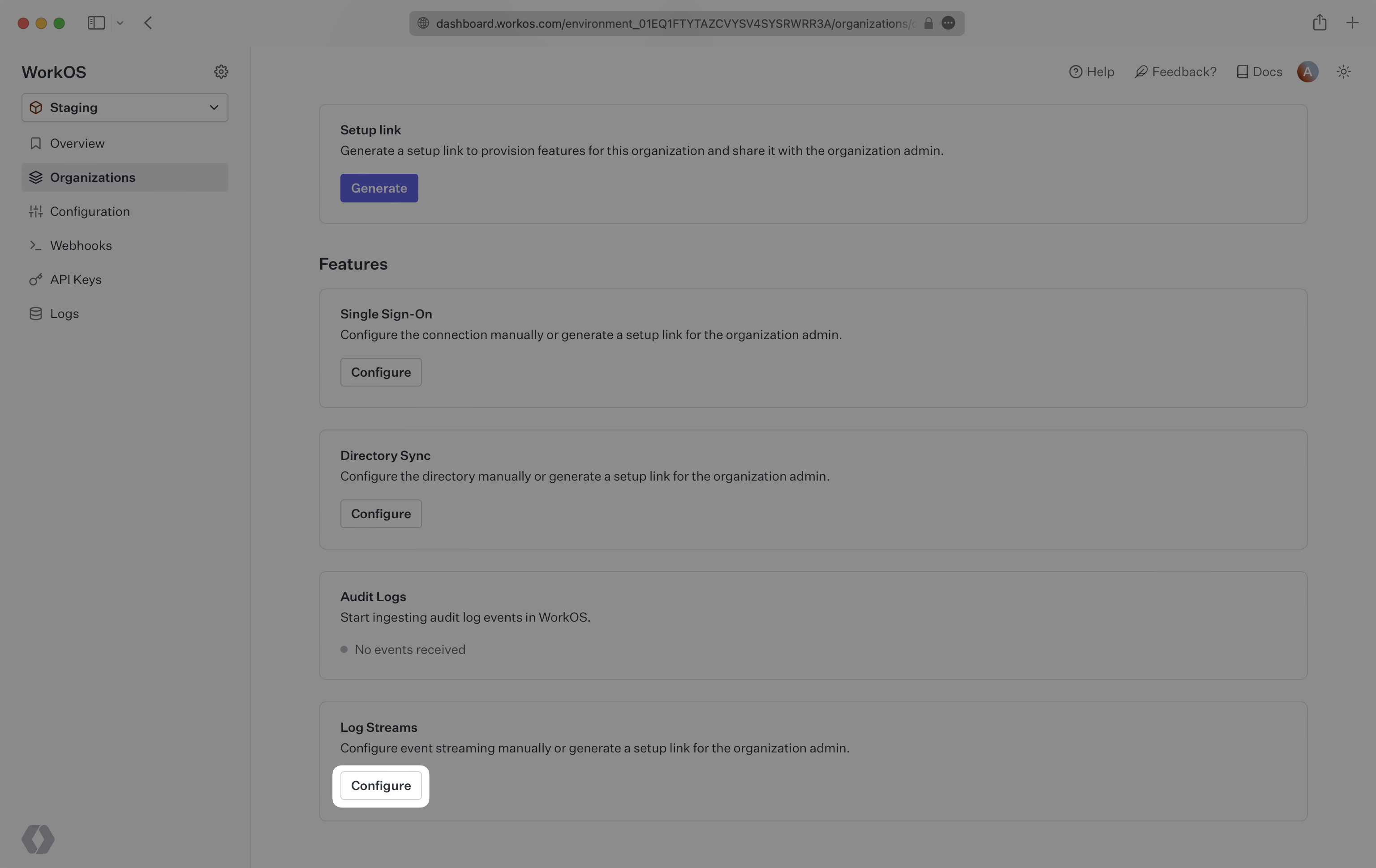
To configure a Log Stream through the WorkOS Dashboard, navigate to an organization and click “Configure”.
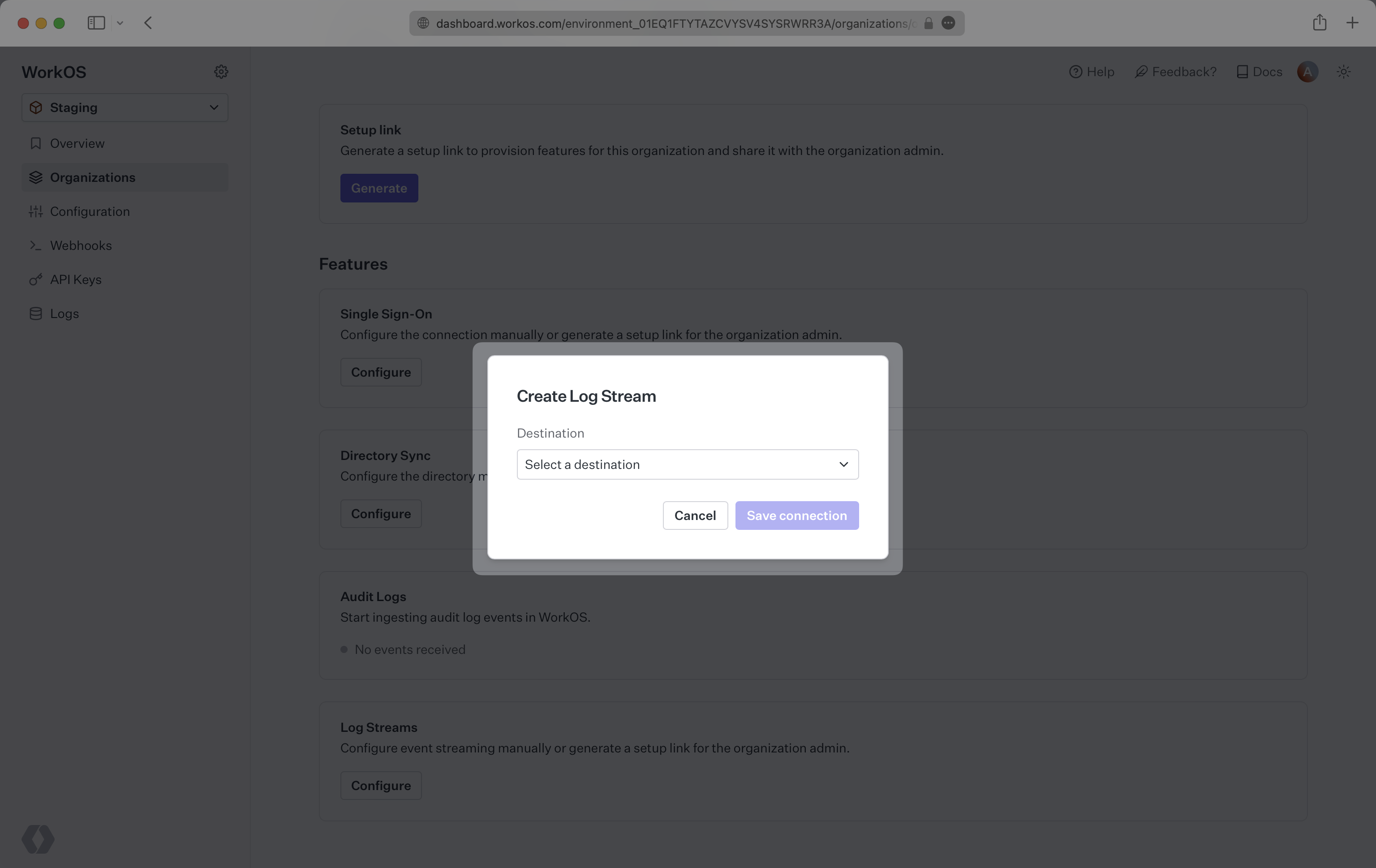
You will be promoted to select a destination from a dropdown, click “Save connection”. You will then be prompted to provide specific configuration for the selected destination.
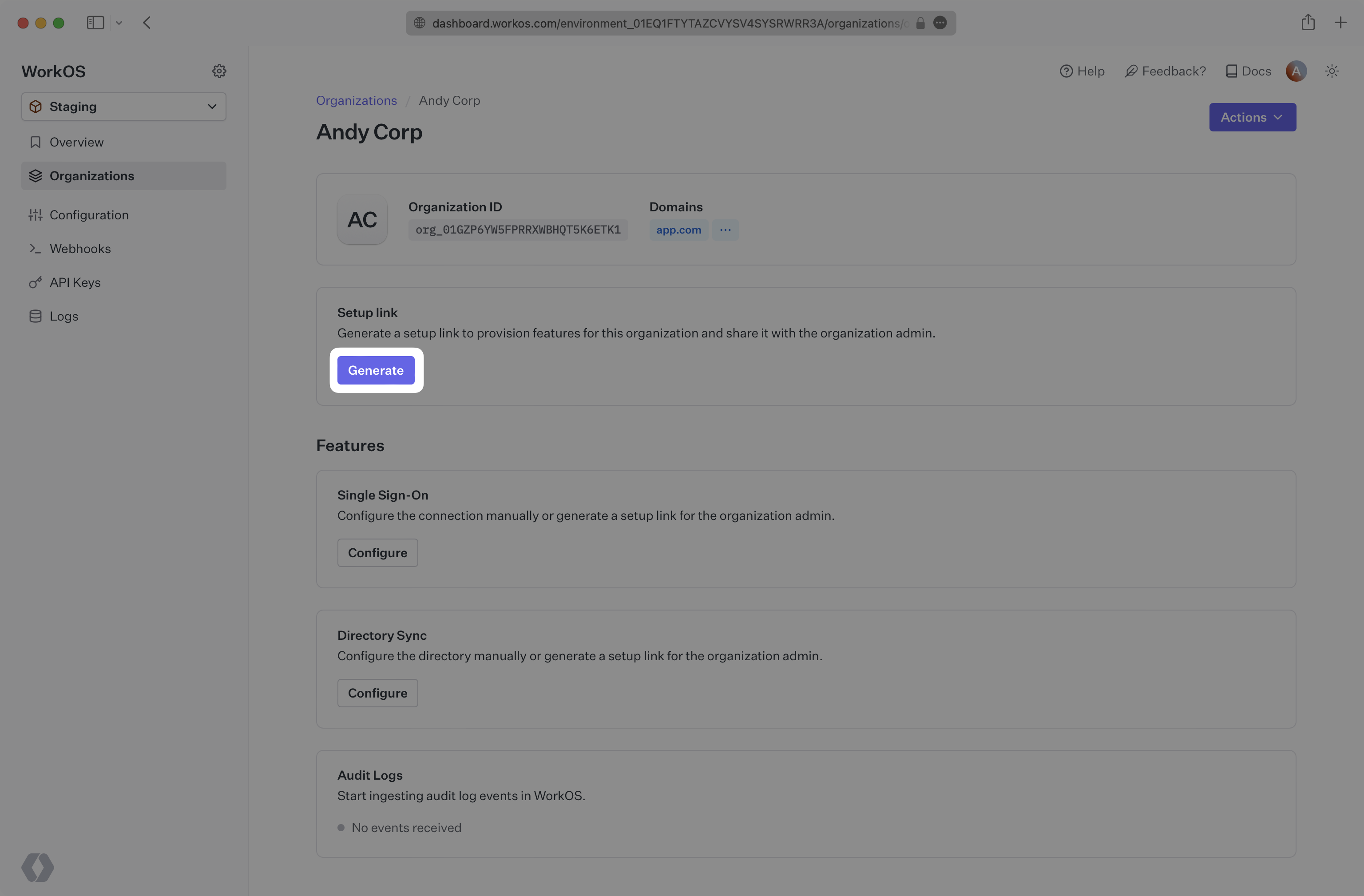
The Admin Portal can be accessed via a Setup Link found in the Organization page within the Dashboard. Click “Generate” and select “Log Streams”. Copy the link and send it to the organization’s IT admin who will be configuring Log Streams.
You can also guide users to the Admin Portal by redirecting them to a programmatically generated Admin Portal link directly from your application.
Once redirected to the Admin Portal, the user will be prompted to select a destination and will be provided with step-by-step configuration instructions for the selected destination.
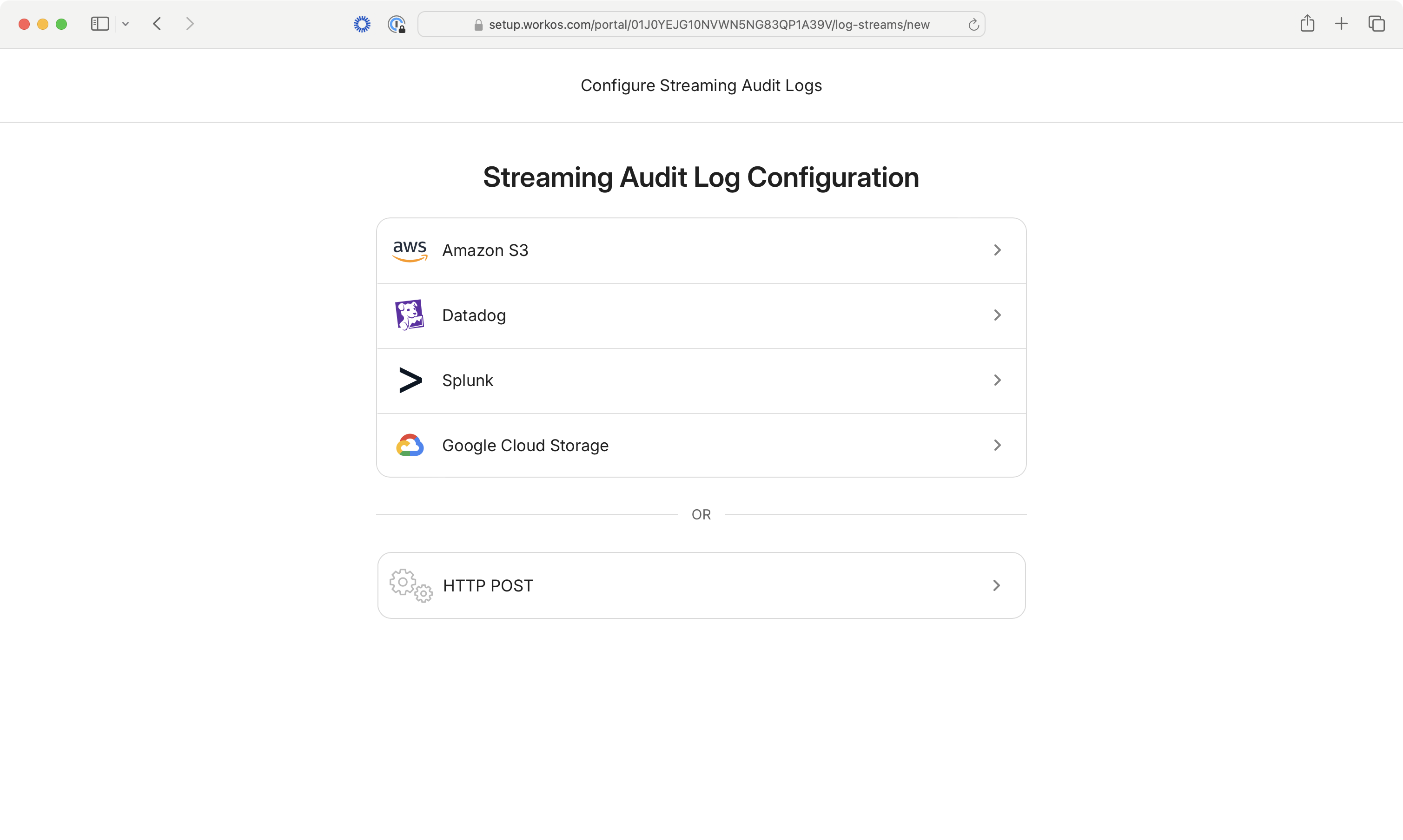
WorkOS supports streaming audit log events to five different types of destinations, each with its own payload format and configuration requirements:
Events are sent to Datadog’s HTTP Log Intake API with regional endpoint support.
Example Payload:
Configuration:
- API Key authentication
- Regional endpoints (US1, US3, US5, EU1, US1-FED, AP1)
- Optional team name as source identifier
Events are sent to Splunk’s HTTP Event Collector (HEC) endpoint.
Example Payload:
Configuration:
- HEC Token authentication
- Custom Splunk instance URL
- Optional source identifier
Events are stored as individual JSON files in an S3 bucket with cross-account IAM role access.
File Format: Individual JSON files per event with pretty-printed formatting
File Naming Pattern: YYYY-MM-DD/{timestamp}_{keySuffix}.json
Example Filename: 2024-01-15/2024-01-15T10:30:00.123Z_abc123def456.json
Example File Content:
Configuration:
- Cross-account IAM role with external ID
- MD5 checksums for Object Lock compliance
Events are stored as individual JSON files using Google Cloud Storage’s S3-compatible API.
File Format: Individual JSON files per event (same format as S3)
File Naming Pattern: {timestamp}_{keySuffix}.json
Example File Content: Same JSON structure as S3
Configuration:
- Access Key ID and Secret Access Key
- GCS bucket with S3-compatible access
Events are sent to custom HTTP endpoints with configurable authentication and format options.
JSON Format Example:
NDJSON Format Example:
Configuration:
- Custom HTTP endpoint
- Configurable authentication headers
- Support for JSON or NDJSON formats
- Content-Type handling (application/json or application/x-ndjson)
Audit log streams can be in one of four states that determine their operational status:
Streams automatically transition between states based on delivery outcomes:
- Active → Error: When a retry-able error occurs during event delivery
- Active → Invalid: When authentication or authorization fails
- Error → Active: When retry succeeds after a previous error
- Invalid → Active: When credentials are fixed and validation succeeds
- Any → Inactive: When manually disabled through Dashboard or Admin Portal